
Fast Travel: Ferrystones, Portcrystals and Oxcarts
Activate destinations, understand the portable Portcrystal limit and use oxcart departures or stopovers without mistaking travel for a safe teleport.
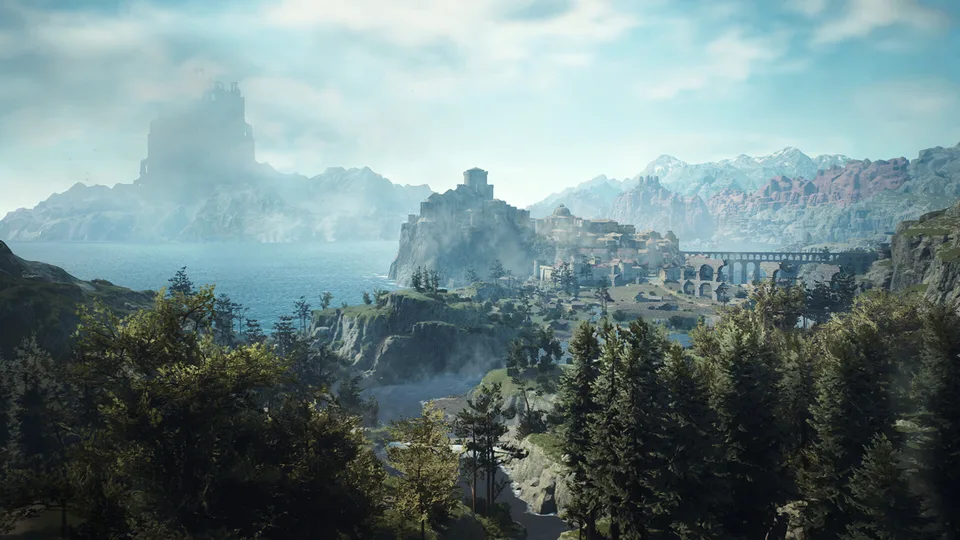
- Portable Portcrystals
- Up to 10 placed at one time
- Permanent destinations
- Interact once to activate
- Oxcart travel
- Route-based; encounters may interrupt
On this page
Two different travel systems
Ferrystone travel and oxcarts solve different problems. A Ferrystone travels to an activated Portcrystal destination. An oxcart follows a service route and requires boarding and paying the displayed fare. Before setting out, identify which destination or route actually serves your objective instead of assuming every map marker is a teleport point.
Activate and place Portcrystals
The official manual says permanent Portcrystals must be interacted with at least once before use as destinations. Portable Portcrystals can be placed, recovered and moved; up to ten can be placed simultaneously.
A useful placement decision starts with a destination you intend to revisit, not simply the first empty spot you find. Consider whether the crystal shortens a repeated journey and whether you will remember why you placed it. That is planning advice, not a ranked list of tested optimal coordinates.
Board an oxcart and check the route
Visit a station, check the service and pay the fare before boarding. Most departures are in the early morning, with a waiting option at the station. The current manual also describes asking the driver about a stopover before departure; a stop along the route can have a lower fare than the full journey.
Dozing advances the experience of the journey, but attacks can still interrupt the trip. Prepare the party for travel rather than treating the cart as an invulnerable fast-travel screen. This page does not publish a universal fare because the selected service and stop matter.
Troubleshoot the right requirement
For an unavailable Portcrystal destination, first check activation rather than looking for a new vocation or quest level. For an oxcart, verify the station, direction and departure. For a destination beyond the service, plan the remaining walking segment separately.
Before using a consumable or boarding, check that the party and supplies are ready for what happens after arrival. A fast outward journey does not automatically establish a return route. Use exploration planning to keep the outward trip, objective and return in one plan.
Version and scope
This reference follows the official web manual checked on October 12, 2026. It is not a catalogue of every special travel item, every destination, DLC entitlement or every route condition. Follow your game’s displayed availability and cost; do not assume an older guide’s permanent-destination count remains complete after updates.
Frequently asked questions
Why is a permanent Portcrystal missing from my destinations?
The official manual requires interacting with it before it becomes a Ferrystone destination.
Can I move a portable Portcrystal?
Yes. The manual describes recovering a placed crystal and putting it elsewhere.
Does dozing off remove all risk from an oxcart trip?
No. The manual warns that the journey can be interrupted by attacks.
Sources & scope
Images are official game promotional material, not proof of a verified route, loadout or item drop.
Continue exploring
Planning Your Next Journey
Turn an equipment source or quest objective into an outward route, a supply check and a return plan without assuming every destination is fast travel.
Read guideWorld Guide: Vermund, Battahl and Travel Planning
Distinguish the two base-game kingdoms from their capitals, connect settlements and travel services, and choose the next location guide for your objective.
Read guide
Dungeon Routes: Sealed Mining Shaft Entrance Example
Use a documented Sealed Mining Shaft approach to separate a dungeon entrance, a barred gate and a completion goal, with a practical personal route checklist.
Read guideDungeon Tracker
Use the personal dungeon checklist, understand its progress states, and export or safely replace browser-only records without a game-save connection.
Read guide