
Dragon's Dogma 2 Equipment Build Planner
Plan DD2 equipment by vocation, compare sourced item attributes and save a local backup. Review unknown compatibility and prices before spending Gold in game.
- Catalogue
- 26 weapons + 9 armor/accessory records
- Skills
- Personal notes, not a skill database
- Storage
- One local plan; JSON backup
- Damage simulation
- Not included
On this page
Plan your equipment
A partial equipment plan using 26 named weapons and nine armor/accessory references. This version records one main weapon, an optional sword/mace shield, body armor, a cloak and one ring reference. Head/leg armor, a second ring, enhancement levels and multiple Warfarer weapons are outside these subtotals. Skills and augments are personal notes.
Only main weapons are filtered by recorded vocation compatibility. Unlisted armor/accessory compatibility is flagged for review, rather than assumed valid or invalid. Switching vocation removes an incompatible weapon and its shield.
No retained plan confirmed.
Untitled plan · Fighter
- Selected-item weight
- 0 kg across 0 selected records
- Known shop-price subtotal
- 0 G · 0 selected items unpriced
These subtotals cover this selection only. Missing prices are excluded, not priced at zero. Weight is not your character's encumbrance or a Warfarer Rearmament calculation. There is no final damage, defense or stacking simulation.
Choose a main weapon or another reference item to start a plan.
Start a practical equipment plan
Choose your vocation and a main weapon from the shared weapon catalogue. Each entry carries its unenhanced reference attributes, acquisition condition and evidence link. Only the named weapons recorded for that vocation appear. A missing weapon is a gap in this sample, not proof that the game has no suitable equipment.
A sword or mace selection enables the optional shield field for Fighter or Warfarer. Changing vocation removes a main weapon that is no longer compatible. Changing to a weapon outside those two families clears its shield. The summary never combines shield attributes with a weapon to invent damage. CAPCOM's Warfarer introduction supports access to all weapon types; this tool records one setup, rather than the vocation's full weapon-switching loadout.
Choose a body-armor reference, cloak and ring if useful. Their source records do not establish every vocation's eligibility. An item marked verify compatibility remains a planning reference: check your current in-game equip screen before buying it. The planner keeps these selections when you change vocation, with the warning updated for the new vocation. An omitted vocation is not treated as a confirmed restriction.
Read the summary without guessing combat results
The selected-item weight adds the recorded weights of the items in this plan. It excludes head and leg armor, a second ring, inventory supplies and any extra Warfarer weapons. It is not a complete character weight, encumbrance calculation or Rearmament weight rule. This first version provides one ring reference, not a claim that the game only has one ring slot.
The known shop-price subtotal adds only recorded Gold prices. The summary separately counts selected items without a price; unpriced is not free. A chest item therefore contributes its recorded weight, but no invented purchase amount. Prices do not account for discounts, changing shop stock, transport or enhancement costs.
Strength, Magick, Knockdown and defense remain individual reference attributes. Character level, upgrades, skills, augments, enemy resistance and combat conditions are not simulated. The planner cannot rank final damage or certify a complete build. Follow each selected item's source and acquisition note when deciding where to obtain it.
Record skills and augments as personal notes
Use the optional plan name, up to 80 characters, to identify your goal. Skill and augment notes accept up to 1,000 characters for names, unlock targets or your next step. These notes are your own text, not validated skill selections. No fixed skill-slot limit or numerical effect is inferred.
The augment reference contains a small set of sourced unlock examples. Your current vocation does not by itself establish which augments you have unlocked. Keep that distinction in your notes and check the game's vocation menu when finalizing the setup.
Save, export and review an import
Edits automatically save one plan in this browser for this website address. Export plan downloads a version 1 JSON backup containing its name, vocation, item IDs and notes. It does not contain a game save, inventory or character record. Use a backup to move the plan yourself; there is no account or automatic cross-device sync.
Import plan backup accepts only this tool's typed version 1 format, with known item IDs in the correct categories and a compatible weapon/shield setup. The maximum file size is 20,000 bytes. Invalid JSON, unsupported versions, tracker files, unknown IDs and mismatched categories are rejected without changing the current plan. Notes are displayed as text.
A valid file opens a review panel. Confirm replacement replaces the current plan, including edits made after selecting the file; imports do not merge. Cancel import preserves your current selection. Export anything you want to keep before confirming replacement. A backup is a record of selected IDs; reference attributes and prices are read from the site's current catalogue when it is reopened.
Clear a plan and handle unavailable storage
Clear plan opens a confirmation. Confirm clear plan removes this browser's saved plan and resets the selection; Keep plan cancels. Previously downloaded backups remain on your device. Other open tabs on the same website can receive local storage changes. This is browser-local behavior, not cloud sync.
If saved data cannot be read, the tool warns and does not overwrite it on page load. Editing creates a new local version. If storage is blocked or full, your selection still works for the current session and can be exported; the warning explains that it is not retained. A failed clear may leave an older saved copy, so use the browser's site-data controls if you need to remove it.
Without JavaScript, this help and the equipment directories remain readable, but selection, saving and import are unavailable. The privacy notice explains local records and backup files. The Gear Finder provides a broader search across the same partial catalogue.
Sources & scope
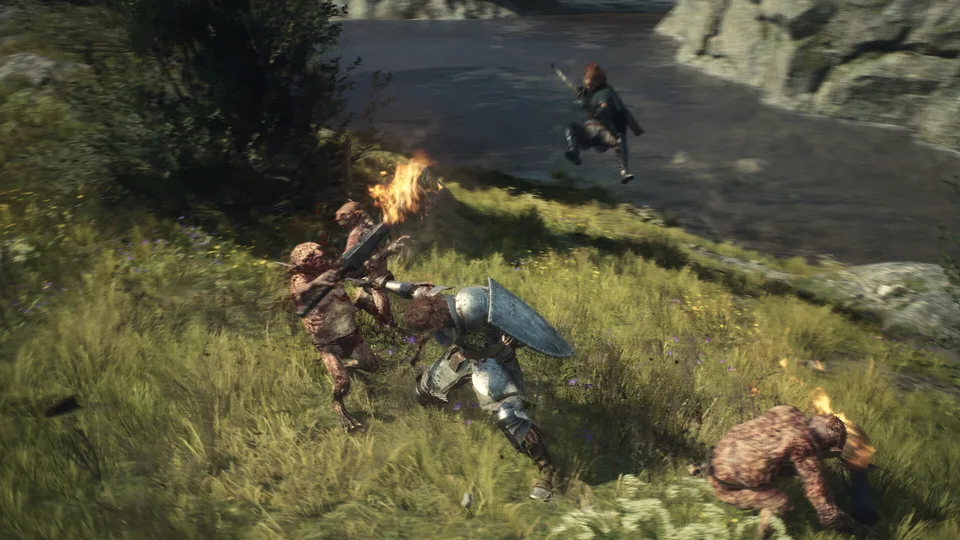
Images are official game promotional material, not proof of a verified route, loadout or item drop.
Continue exploring
Dragon's Dogma 2 Gear Finder: Equipment Search
Search 26 weapons and nine armor, ring and cloak records by name, source and price; filter weapon compatibility and compare sourced base attributes locally.
Read guideWeapons: Named Items and Acquisition Sources
Compare twenty-six named weapons with unenhanced reference attributes, vocation compatibility, documented vendors and other acquisition sources.
Read guide
Armor Guide: Early Purchases and Stat Comparisons
Compare three documented body armor purchases, their reference defenses, weights and vocation restrictions without confusing base values with upgraded gear.
Read guideRings
Browse directory →Warfarer
Complete Lamond’s unlock request, obtain Rearmament and plan a multi-weapon kit without assuming every specialist skill transfers.
Read guide
Dragon's Dogma 2 Hub Privacy and Local Data
Understand how DD2 Hub stores personal checklists, handles backup files and loads external fonts, plus the hosting details still needed before public release.
Read guide